
12 Powerful Ways to Secure Your Phone from Hackers and Malware
Smartphones store a huge amount of personal data, from passwords and photos to banking information. If you don’t know how to secure your phone from hackers, your data could be at serious risk. Cyber threats are increasing every year, making mobile security more important than ever.
Why Phone Security Matters
Hackers can steal your personal information, track your activity, or install malicious software without your knowledge. Learning how to secure your phone from hackers is essential to protect your privacy and digital identity.
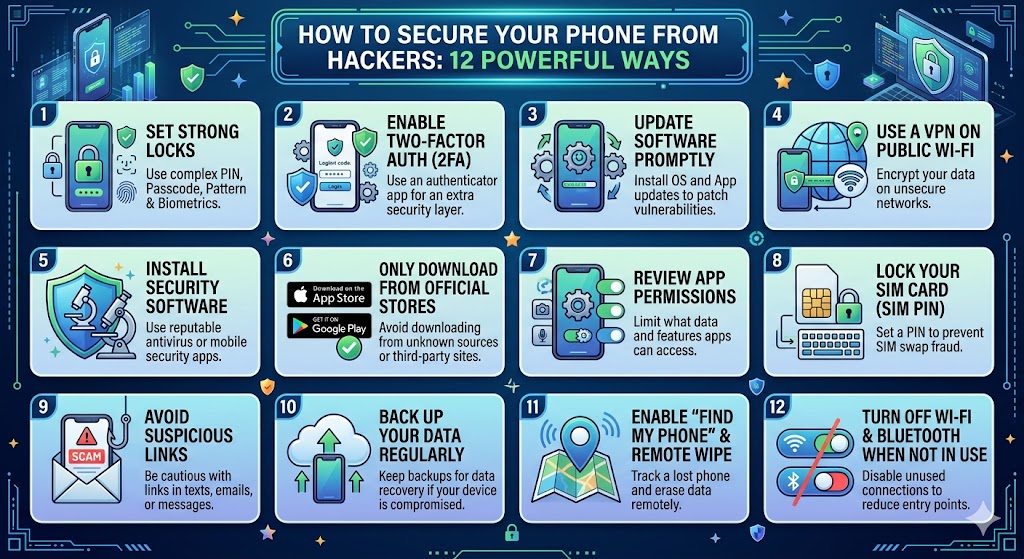
12 Powerful Ways to Secure Your Phone
1. Use a Strong Password or PIN
Avoid simple PINs like 1234 or 0000. Use a strong password or a complex PIN to prevent unauthorized access.
2. Enable Biometric Security
Use fingerprint or facial recognition for added security. These methods are harder to bypass than traditional passwords.
3. Keep Your Software Updated
Updates often include security patches that fix vulnerabilities. Always install the latest updates to stay protected.
4. Install Apps from Trusted Sources
Only download apps from official stores like Google Play or App Store to avoid malware.
5. Avoid Public Wi-Fi
Public Wi-Fi networks are often unsecured. Hackers can intercept your data on these networks.
6. Use a VPN
A VPN encrypts your internet connection, making it harder for hackers to access your data.
7. Check App Permissions
Review what permissions apps have and disable unnecessary access to your data.
8. Enable Find My Device
This feature allows you to locate, lock, or erase your phone if it is lost or stolen.
9. Avoid Clicking Suspicious Links
Phishing attacks often come through emails or messages. Avoid clicking unknown links.
10. Install Security Apps
Antivirus apps can help detect and remove malware from your phone.
11. Use Two-Factor Authentication
Adding a second layer of security makes it much harder for hackers to access your accounts.
12. Backup Your Data Regularly
Regular backups ensure you don’t lose important data in case of an attack.
Common Signs Your Phone Is Hacked
- Battery drains quickly
- Unexpected pop-ups
- Unknown apps installed
- Slow performance
- Unusual data usage
How Malware Gets Into Your Phone
Malware can enter your device through unsafe downloads, phishing links, or fake apps. Understanding these risks helps you avoid them.
Best Habits for Long-Term Security
Developing good habits is key to maintaining security. Always stay cautious, keep your apps updated, and regularly review your settings.
FAQ: How to Secure Your Phone from Hackers
Can hackers access my phone easily?
Not if you follow proper security practices. Strong passwords and updates reduce risks significantly.
Do I need antivirus on my phone?
It’s not always necessary, but it can provide extra protection against malware.
Is public Wi-Fi dangerous?
Yes, unsecured networks can expose your data to hackers.
Advanced Mobile Security Tips
If you want to go beyond basic protection, applying advanced methods is essential. These techniques help strengthen your defense and reduce the risk of cyber attacks. Understanding how to secure your phone from hackers at a deeper level ensures your data stays safe even in more complex situations.
Use Encrypted Messaging Apps
Choose messaging apps that offer end-to-end encryption. This ensures that only you and the recipient can read the messages, protecting your conversations from hackers.
Disable Bluetooth and NFC When Not in Use
Leaving Bluetooth or NFC turned on can expose your device to unauthorized connections. Turning them off when not needed is a simple but effective security habit.
Monitor Account Activity
Regularly check your accounts for unusual activity. If you notice unknown logins or suspicious behavior, change your password immediately.
How to Protect Your Personal Data
Your personal data is one of the main targets for hackers. Protecting it should be a top priority. One of the most effective how to secure your phone from hackers strategies is limiting the amount of sensitive data stored on your device.
Avoid saving passwords in plain text and use secure password managers instead. Also, enable encryption on your device to protect stored data.
What to Do If Your Phone Is Hacked
If you suspect your phone has been compromised, act quickly. First, disconnect from the internet to stop further data transfer. Then, remove any suspicious apps and run a security scan.
You should also change all important passwords, especially for banking, email, and social media accounts. In serious cases, performing a factory reset may be necessary.
Best Security Apps to Consider
Using trusted security apps can provide additional protection. These apps help detect malware, block suspicious websites, and protect your data in real time.
However, always download security apps from official app stores and avoid unknown sources to prevent installing malicious software.
Common Security Mistakes Users Make
- Using weak or repeated passwords
- Ignoring software updates
- Downloading apps from unknown sources
- Clicking on suspicious links
- Connecting to unsecured Wi-Fi networks
Avoiding these mistakes is a crucial part of learning how to secure your phone from hackers effectively.
Long-Term Security Habits
Preparing Before Data Transfer
Before you begin the process, preparation is extremely important. Taking a few minutes to prepare can help you avoid errors and data loss. One of the most important steps in transfer data from old phone to new phone is making sure your old device is properly backed up.
Check that your contacts, photos, and important files are safely stored either in the cloud or on your computer. This ensures that even if something goes wrong during the transfer, your data is still safe.
Wireless vs Cable Transfer: Which Is Better?
There are two main ways to transfer data: wireless and cable transfer. Each method has its own advantages and disadvantages.
Wireless transfer is convenient because it does not require cables. However, it can be slower and may fail if the connection is unstable.
Cable transfer, on the other hand, is faster and more stable. It is the best option when transferring large amounts of data such as videos or apps.
Building good habits is the best way to stay protected. Regularly review your apps, remove unused ones, and keep your device clean from unnecessary data.
Also, stay informed about new security threats and update your knowledge regularly. Cybersecurity is constantly evolving, and staying aware helps you stay protected.
Conclusion
Learning how to secure your phone from hackers is essential in today’s digital world. By following these tips, you can protect your data and enjoy a safer mobile experience.
Start applying these security practices today to keep your phone safe from threats.
